Overview
My role
Enemy Systems
Engine
Unity (C#)
Type
Group project
Platform
PC
The game is a dark 3D environment where the player has no normal vision — pressing Space emits an echolocation pulse that briefly reveals the surroundings through a particle effect. Enemies hunt the player through that same darkness.
My work covered the complete enemy layer (state machine, AI pathfinding, weapon assignment, bullet pooling), the player character (movement, sprint stamina, melee attack), and both the win and lose UI screens.
Enemy State Machine
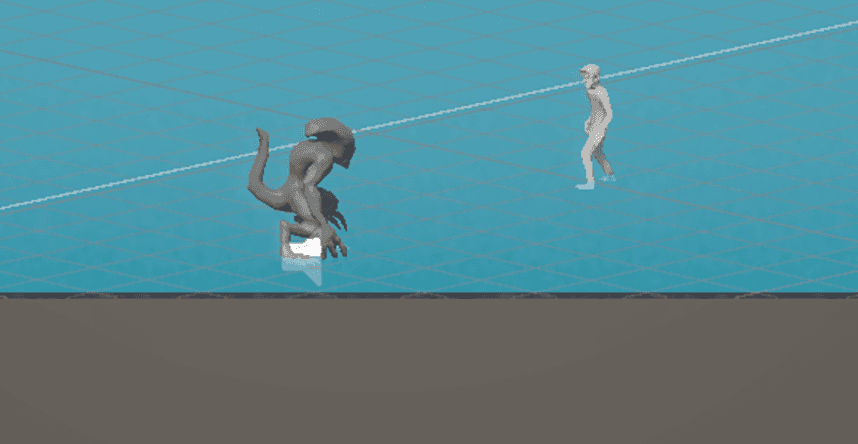
Each enemy runs a state machine. SwitchState calls Exit on the current state then Enter on the new one — states are fully self-contained classes, not a sprawling switch block.
public class EnemyStateMachine : MonoBehaviour
{
    private EnemyState currentState;

    void Start()
    {
        currentState = new WanderState(enemy, this);
        currentState.EnterState();
    }

    void Update() => currentState?.FrameUpdate();
    void FixedUpdate() => currentState.PhysicsUpdate();

    public void SwitchState(EnemyState newState)
    {
        currentState.ExitState();
        currentState = newState;
        currentState.EnterState();
    }
}WanderState
Enemy idles and roams. Picks a random direction every 3 seconds via NavMesh. Transitions to ChaseState the moment the player enters 15 units range.
public override void FrameUpdate()
{
    float dist = Vector3.Distance(
        enemies.transform.position,
        PlayerManager.instance.transform.position);

    if (dist < chaseThreshold)          // 15f
    {
        enemyStateMachine.SwitchState(
            new ChaseState(enemies, enemyStateMachine,
                           chaseExitThreshold, attackRange));
        return;
    }

    wanderTimer += Time.deltaTime;
    if (wanderTimer > wanderInterval)   // every 3s
    {
        wanderTimer = 0f;
        PickNewDirection();
    }

    Vector3 dest = enemies.transform.position
                 + wanderDirection * wanderDistance;
    agent.SetDestination(dest);
}

private void PickNewDirection()
{
    float rad = Random.Range(0f, 360f) * Mathf.Deg2Rad;
    wanderDirection = new Vector3(
        Mathf.Cos(rad), 0, Mathf.Sin(rad)).normalized;
}ChaseState
Uses NavMesh SetDestination to path toward the player at speed 3. Falls back to Wander if the player escapes past 16 units; advances to Attack when within attack range.
public override void FrameUpdate()
{
    Transform player = PlayerManager.instance.transform;
    float distance = Vector3.Distance(
        enemies.transform.position, player.position);

    if (distance > chaseExitRange)
    {
        enemyStateMachine.SwitchState(
            new WanderState(enemies, enemyStateMachine));
        return;
    }

    agent.SetDestination(player.position);  // NavMesh pathfinding

    if (distance <= attackRange)
    {
        enemyStateMachine.SwitchState(
            new AttackState(enemies, enemyStateMachine,
                            chaseExitRange, attackRange));
    }
}AttackState
Stops the NavMesh agent, rotates the weapon's fire point toward the player every frame, and calls gun.Shoot(). Steps back to Chase if the player moves out of range.
public override void FrameUpdate()
{
    Vector3 playerPos = PlayerManager.instance.transform.position;
    float distance = Vector3.Distance(
        enemies.transform.position, playerPos);

    if (distance > attackRange)
    {
        enemyStateMachine.SwitchState(
            new ChaseState(enemies, enemyStateMachine,
                           chaseExitRange, attackRange));
        return;
    }

    // Aim firePoint toward the player and shoot
    Vector3 dir = (playerPos - gun.firePoint.position).normalized;
    gun.firePoint.rotation = Quaternion.LookRotation(dir);
    gun.Shoot();
}
Weapon Manager & Bullet Pool
Enemies are not hard-coded to a specific weapon. A singleton WeaponManager hands out a random weapon prefab on spawn. Bullets are never instantiated at runtime — a Queue<GameObject> pool keeps allocations flat.
WeaponManager
Singleton that holds a list of weapon prefabs set in the Inspector. Each enemy calls GetRandomWeapon() at spawn time and instantiates the result as a child — making every enemy potentially different with zero extra logic.
public class WeaponManager : MonoBehaviour
{
    public static WeaponManager Instance { get; private set; }
    [SerializeField] private List<GameObject> weaponPrefabs;

    public GameObject GetRandomWeapon()
    {
        int index = Random.Range(0, weaponPrefabs.Count);
        return weaponPrefabs[index];
    }
}
ObjectPool
Pre-instantiates 5 bullets at startup and deactivates them. Get() pulls from the queue; Return() deactivates and re-enqueues. If the pool empties, a new bullet is created on the fly so the game never stalls.
public class ObjectPool : MonoBehaviour
{
    public static ObjectPool Instance { get; private set; }
    private int poolSize = 5;
    private Queue<GameObject> pool = new Queue<GameObject>();

    void Awake()
    {
        if (Instance == null) Instance = this;
        else { Destroy(gameObject); return; }

        for (int i = 0; i < poolSize; i++)
        {
            var go = Instantiate(pooledPrefab, transform);
            go.SetActive(false);
            pool.Enqueue(go);
        }
    }

    public GameObject Get()
    {
        if (pool.Count > 0)
        {
            var go = pool.Dequeue();
            go.SetActive(true);
            return go;
        }
        // Grow pool on demand
        var extra = Instantiate(pooledPrefab, transform);
        extra.SetActive(true);
        return extra;
    }

    public void Return(GameObject go)
    {
        go.SetActive(false);
        pool.Enqueue(go);
    }
}
Gun
Fires at 0.5 shots/second. Pulls a bullet from the pool, positions it at the fire point, and sets its velocity — no allocation.
public void Shoot()
{
    if (!CanShoot()) return;

    GameObject bullet = ObjectPool.Instance.Get();
    bullet.transform.position = firePoint.position;
    bullet.transform.rotation = firePoint.rotation;

    Rigidbody rb = bullet.GetComponent<Rigidbody>();
    rb.linearVelocity = firePoint.forward
                      * bullet.GetComponent<Bullet>().speed;

    fireCooldown = 1f / fireRate;   // fireRate = 0.5 → 2s between shots
}
Bullet
Deals 5 damage on hitting the Player tag. Returns itself to the pool either on impact or after a 2-second lifetime — no Destroy() ever called.
public class Bullet : MonoBehaviour
{
    public float speed = 20f;
    private float lifeTime = 2f;
    private float damage = 5f;

    void OnEnable()
    {
        rb.linearVelocity = transform.forward * speed;
        Invoke(nameof(ReturnToPool), lifeTime);
    }

    void OnTriggerEnter(Collider other)
    {
        if (other.CompareTag("Player"))
        {
            var hp = other.GetComponent<Health>()
                  ?? other.GetComponentInParent<Health>();
            if (hp != null) hp.TakeDamage(damage);
        }
        ReturnToPool();
    }

    private void ReturnToPool()
    {
        CancelInvoke();
        ObjectPool.Instance.Return(gameObject);
    }
}
Player Movement & Attack
The player controller uses camera-relative movement, a sprint system with stamina drain, and a melee attack that samples a sphere overlap to find enemies in reach.
Grounded Movement
Input axes are projected onto the camera's forward/right (Y flattened), then combined into a direction vector. Walk speed is 3 u/s; sprint is 6 u/s with stamina draining at 0.1/frame while held.
private void HandleGroundedMovement()
{
    verticalMovement   = player.playerInputManager.verticalInput;
    horizontalMovement = player.playerInputManager.horizontalInput;

    // Camera-relative direction
    Vector3 forward = PlayerCameraMovent.instance.transform.forward;
    Vector3 right   = PlayerCameraMovent.instance.transform.right;
    forward.y = 0f; right.y = 0f;
    forward.Normalize(); right.Normalize();

    Vector3 direction = forward * verticalMovement
                      + right   * horizontalMovement;

    if (moveAmount > 0f)
    {
        bool sprinting = player.playerInputManager.isSprinting
                      && !player.stamina.ReadExhaustion();
        float speed = sprinting ? sprintSpeed : walkSpeed;
        if (sprinting) player.stamina.LoseStamina(0.1f);

        player.characterController.Move(
            direction.normalized * speed * Time.deltaTime);
    }
}
Melee Attack
On attack input a coroutine fires the animation trigger, waits 0.25 s for the wind-up, then calls Physics.OverlapSphere to find every enemy within the attack radius and applies 10 damage to each.
private void HandleAttack()
{
    if (player.playerInputManager.attackInput)
        StartCoroutine(PerformAttack());
}

private IEnumerator PerformAttack()
{
    player.animator.SetTrigger("Attack");
    yield return new WaitForSeconds(0.25f);
    DoAttackHit();
}

private void DoAttackHit()
{
    Collider[] hits = Physics.OverlapSphere(
        attackPoint.position, attackRadius, enemyLayerMask);

    foreach (var hit in hits)
    {
        Health h = hit.GetComponent<Health>()
               ?? hit.GetComponentInParent<Health>();
        if (h != null) h.TakeDamage(attackDamage);
    }
}
Win & Lose Screens
Both end-game screens use Unity's UI Toolkit (UIDocument). The relevant button is queried by name from the visual tree and wired to a click callback that calls SceneManager.LoadScene — no Inspector drag-and-drop dependencies.
// Win screen
private void Awake()
{
    _button = _document.rootVisualElement
                        .Q("BackToStartButton") as Button;
    _button.RegisterCallback<ClickEvent>(onPlayGameClick);
}
private void onPlayGameClick(ClickEvent evt) =>
    SceneManager.LoadScene("Feature Start Screen");

// Lose screen (same pattern)
private void Awake()
{
    _button = _document.rootVisualElement
                        .Q("RestartButton") as Button;
    _button.RegisterCallback<ClickEvent>(onRestartClick);
}
private void onRestartClick(ClickEvent evt) =>
    SceneManager.LoadScene("Feature Start Scene");